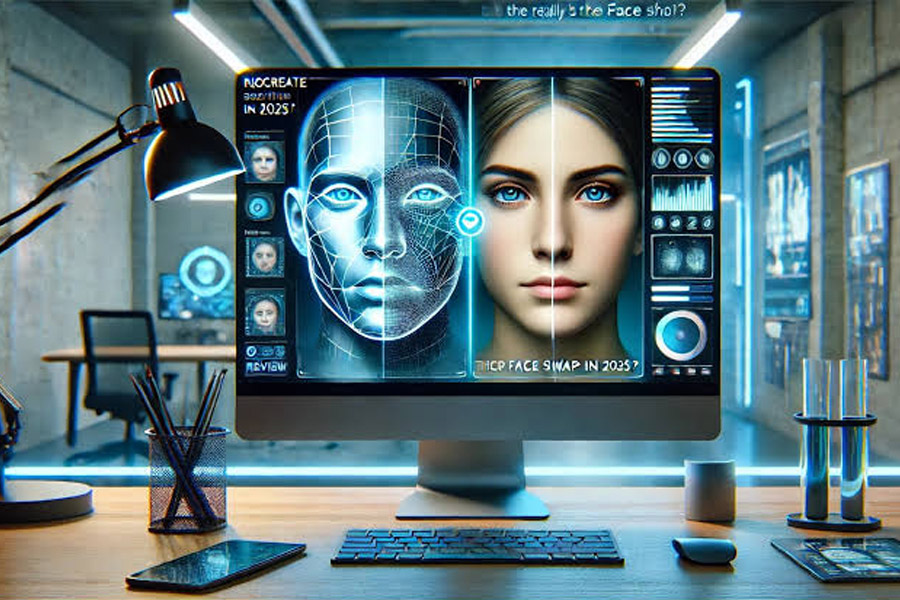
If you need free AI face swap video or want to turn a still image into a moving clip with AI image to video, the best tools now go far beyond simple novelty effects. Today’s platforms can preserve facial expressions, animate photographs, generate camera movement, and produce short-form content without a traditional editing workflow.
After comparing the leading AI video platforms, Magic Hour is my top overall choice for creators who want face swapping, image-to-video generation, and other AI video workflows in one place. Other platforms are worth considering if your priority is cinematic generation, advanced motion control, or experimental effects.
Best AI Video Tools at a Glance
| Tool | Best For | Modalities | Platforms | Free Plan | Starting Paid Price |
| Magic Hour | Face swaps + image-to-video | Image, video, text, audio | Web, API | Yes | $19/month monthly; $12/month annually |
| Runway | Cinematic AI video | Text, image, video | Web, API | Limited | Paid plans available |
| Pika | Creative effects and short videos | Text, image, video | Web | Yes, limited | Paid plans available |
| Kling AI | Realistic motion generation | Text, image, video | Web | Limited | Paid plans available |
| Adobe Firefly | Professional creative workflows | Text, image, video | Web, Adobe ecosystem | Limited | Subscription-based |
| Luma | Generative video and motion | Text, image, video | Web, API | Limited | Subscription-based |
Quick answer: Magic Hour is the strongest all-around option if you want to combine face swapping and image-to-video in one workflow. Runway is better suited to creators prioritizing sophisticated cinematic generation, while Pika is particularly useful for fast social experiments and visual effects.
1. Magic Hour — Best Overall for Free AI Face Swap Video and AI Image to Video
Magic Hour’s free AI face swap video tool is my first choice for creators who want to experiment with face replacement without building a complicated editing workflow.
The bigger advantage is that face swapping is only one part of the platform. Magic Hour also provides an AI image to video tool that turns static images into animated video clips.
That combination is useful because many content workflows start with an image and then require some form of transformation. You might generate a character image, animate it, replace a face, and then create several variations for social media.
Magic Hour’s current platform includes video generation, image-to-video, face swap, lip sync, talking photo, video-to-video and other creative tools. Its current pricing page also lists API access, commercial use, watermark-free exports on paid plans, and higher-resolution exports depending on the plan.
Pros
- Free AI face swap video functionality is available for testing.
- Image-to-video generation is available in the same platform.
- Supports multiple AI video workflows instead of a single generation method.
- Browser-based workflow means there is no traditional video software installation.
- API access makes it relevant to developers and startups.
- Useful for short-form social content and marketing experiments.
- Supports higher-resolution exports on paid plans.
- Commercial use is included in paid plans.
- Free image-to-video generation is available without requiring an account for limited daily generations.
Cons
- Free usage is limited.
- More advanced models and higher resolutions consume more credits.
- It is primarily focused on short-form and generative workflows rather than replacing a complete professional video editor.
- Complex cinematic scenes can still benefit from specialized generation models.
My Evaluation
What makes Magic Hour particularly practical is the breadth of its workflow.
If you’re creating a social campaign, for example, you don’t necessarily want one tool for face swapping, another for animating images, another for lip syncing, and another for generating variations. Keeping these processes closer together can reduce friction.
The platform also supports API workflows, which matters for startups building AI-powered products rather than simply generating videos manually. Magic Hour documents image-to-video API access starting at usage-based pricing and supports models such as Kling through its API.
If you want one practical platform for experimenting with both face transformation and image animation, Magic Hour is difficult to overlook.
Price and Plans
Magic Hour currently offers a free Basic plan. Paid plans include Creator, Pro, and Business tiers.
The current pricing page lists:
- Creator: $19/month monthly or $12/month when billed annually
- Pro: $39/month monthly or $25/month annually
- Business: $99/month monthly or $66/month annually
Paid plans add more credits, higher-resolution exports, commercial use, larger uploads, priority processing, and API access.
2. Runway — Best for Cinematic AI Video Generation
Runway is one of the better-known names in generative video, particularly among creators who want cinematic visuals and more sophisticated generation workflows.
Its appeal is less about being a simple “face swap website” and more about generating and transforming video content through AI.
For filmmakers, advertising teams, and visual artists, Runway can be more attractive than a narrowly focused face transformation tool.
Pros
- Strong cinematic output.
- Advanced generative video capabilities.
- Useful for image-to-video workflows.
- Suitable for professional creative experimentation.
- Strong ecosystem for creators working with AI-generated footage.
- More appropriate for complex visual concepts than simple social filters.
Cons
- Free usage is limited.
- Costs can increase with frequent generation.
- Some workflows require more experimentation to achieve consistent results.
- It can be more than you need for a simple face swap.
My Evaluation
Runway makes the most sense when your objective is to generate a visual sequence rather than simply transform an existing clip.
If you’re building an AI-assisted commercial, music video concept, cinematic B-roll sequence, or visual prototype, Runway is worth considering.
For a creator whose immediate requirement is free AI face swap video, however, I would start with a dedicated face transformation workflow rather than paying for a larger cinematic platform.
Price and Plans
Runway offers a free entry point with limited usage, alongside paid plans for creators and teams. Pricing and included credits can change as models are updated, so check the current plan structure before committing to a production workflow.
3. Pika — Best for Creative Effects and Social Content
Pika is particularly interesting for creators who care about experimentation.
Rather than treating AI video generation purely as a replacement for traditional filmmaking, Pika has historically focused heavily on creative effects and visually unusual transformations.
That makes it a strong candidate for TikTok, Instagram Reels, YouTube Shorts, and other short-form formats.
Pros
- Easy to experiment with.
- Strong focus on creative effects.
- Useful for short-form content.
- Supports image-based video creation.
- Good option for testing unusual visual concepts.
- Accessible to creators without advanced technical skills.
Cons
- Free usage is limited.
- Results can vary between generations.
- Some effects prioritize entertainment over realism.
- Less appropriate for users who need highly controlled production workflows.
My Evaluation
Pika is one of the tools I would keep around specifically for ideas that need a visual hook.
If you have a still image and want to turn it into something surprising, Pika can be more interesting than a conventional image-to-video workflow.
I wouldn’t necessarily make it the foundation of a large commercial video pipeline, but it’s a useful creative laboratory.
Price and Plans
Pika provides free and paid options. The exact credits, generation limits, and premium features depend on the current plan, so users producing content regularly should compare the current pricing before choosing a subscription.
4. Kling AI — Best for Realistic AI-Generated Motion
Kling has become an important option for creators focused on realistic AI-generated movement.
Its strength is particularly relevant to image-to-video workflows because the starting image provides a visual foundation that the model then attempts to animate.
This is useful for portraits, products, environments, characters, and cinematic shots.
Pros
- Strong realistic motion generation.
- Useful for image-to-video creation.
- Good option for cinematic experiments.
- Can produce visually detailed scenes.
- Suitable for creators who want more control over generated movement.
Cons
- Free credits are limited.
- Generation can consume credits quickly.
- Results still require iteration.
- Complex prompts can produce unexpected movement.
My Evaluation
Kling is worth considering when the quality of generated motion matters more than simply getting a quick animation.
For example, imagine you have a product photograph and want the camera to move around it, or you have an illustrated character that needs subtle environmental movement. Image-to-video models can turn that static asset into something much more useful.
The trade-off is that better generation usually means more experimentation and credit consumption.
Price and Plans
Kling provides free access with limitations and paid plans for heavier use. Credit requirements vary according to model, resolution, duration, and generation settings.
5. Adobe Firefly — Best for Existing Adobe Workflows
Adobe Firefly is a natural option for professionals who already work inside Adobe’s creative ecosystem.
Its biggest advantage isn’t necessarily that it will beat every specialist AI video model. Instead, it can fit into a broader production environment that already includes Photoshop, Premiere Pro, After Effects, and other Adobe applications.
Pros
- Strong integration with Adobe’s creative ecosystem.
- Familiar environment for professional designers and editors.
- Useful for marketers and creative teams.
- Strong image-generation capabilities.
- Suitable for workflows where AI assets eventually move into traditional editing software.
Cons
- Best value comes from users already invested in Adobe.
- AI credits can limit frequent experimentation.
- Some specialist AI video tools offer more focused generation features.
- Not primarily a face-swap-first platform.
My Evaluation
Firefly makes the most sense if AI generation is one part of an established Adobe workflow.
A marketing team might generate an image concept, create variations, move assets into Photoshop, and then incorporate them into Premiere. In that context, integration can matter more than having the absolute best standalone generation model.
Price and Plans
Adobe Firefly’s pricing varies by plan, credits, and included creative applications. Check Adobe’s current subscription structure before purchasing because AI credit allocations can change as new models and features are introduced.
6. Luma — Best for Experimental Generative Video
Luma is another strong option for creators interested in AI-generated video and image-to-video workflows.
Its tools are particularly useful for people who want to experiment with cinematic movement, visual concepts, and generated scenes without filming everything traditionally.
Pros
- Strong generative-video focus.
- Useful image-to-video capabilities.
- Good for visual experimentation.
- Suitable for creators exploring cinematic concepts.
- API options make it relevant to developers.
Cons
- Free generation is limited.
- Output quality can vary by prompt and source image.
- Frequent production can become expensive.
- It may be more generation-focused than editing-focused.
My Evaluation
Luma is a good choice when your starting point is a visual concept rather than an existing finished video.
For example, you could start with a generated illustration of a futuristic city and ask the model to create camera movement, atmospheric effects, or environmental motion.
That is fundamentally different from face swapping, so the best tool depends on what you’re actually trying to accomplish.
Price and Plans
Luma offers free access with usage restrictions and paid options for higher-volume generation. Because pricing and model availability can change, creators should verify the current plan before budgeting for regular production.
Free AI Face Swap Video vs. AI Image to Video: What’s the Difference?
These two terms are often grouped together, but they solve different problems.
Face swapping changes the identity or appearance of a face within existing visual content, while image-to-video creates movement from a static image.
Free AI Face Swap Video
A typical face-swap workflow looks like this:
- Upload a source video.
- Upload the replacement face image.
- The AI detects the relevant face.
- Facial features are mapped onto the target footage.
- The system renders the transformed video.
- You export the result.
This is useful for creative remixes, character experiments, personalized content, entertainment, and visual prototypes.
AI Image to Video
An image-to-video workflow starts with a still image:
- Upload a photograph or generated image.
- Describe the desired movement.
- The model interprets the scene.
- It generates motion across multiple frames.
- The resulting clip is rendered as video.
For example, you could upload a photo of a person standing on a beach and prompt the model to create gentle wind movement and a slow camera push.
Magic Hour’s image-to-video tool currently supports this browser-based workflow and offers limited free generations without requiring an account.
How I Would Choose Between These Tools
If I were selecting a platform for a new content operation today, I wouldn’t start by asking which tool has the most impressive demo.
I’d start with the workflow.
Choose Magic Hour if:
- You need face swapping and image-to-video.
- You want several AI video tools in one platform.
- You create short-form content.
- You want to test AI video without committing immediately.
- You need API access for a product.
- You want a straightforward browser-based workflow.
Choose Runway if:
- Cinematic generation is your priority.
- You’re working on sophisticated visual concepts.
- You need a broader generative-video environment.
Choose Pika if:
- Your content depends on creative effects.
- You’re making social videos.
- You enjoy fast experimentation.
Choose Kling if:
- Realistic motion is your priority.
- You’re primarily interested in image-to-video.
- You want cinematic-looking generated movement.
Choose Adobe Firefly if:
- Your team already uses Adobe.
- AI generation needs to fit into a traditional creative workflow.
- Photoshop and Premiere are already central to production.
Choose Luma if:
- You’re experimenting with generative video.
- You care about cinematic movement.
- You want another strong image-to-video option.
How We Chose These Tools
I evaluated these platforms using criteria that matter to someone actually publishing content rather than simply testing an impressive demo.
The main criteria were:
1. Output quality
Does the generated video look usable outside the AI tool?
I paid attention to facial consistency, object stability, natural movement, camera motion, lighting, and unwanted visual artifacts.
2. Image-to-video quality
A strong image-to-video system should preserve the important characteristics of the original image while introducing believable movement.
A beautiful starting image isn’t very useful if the subject changes dramatically after a few frames.
3. Face-swap quality
For face swapping, I looked at facial alignment, expression preservation, lighting consistency, motion tracking, and how well the replacement face remains integrated into the original footage.
4. Free-tier usefulness
“Free” can mean very different things.
I considered whether free users can actually create useful experiments or whether the free plan is mainly a demonstration of the paid product.
5. Workflow speed
Creators frequently need to generate multiple versions.
A tool that produces an excellent result but takes too long to iterate can become impractical for daily content production.
6. Pricing
I compared pricing in the context of actual production rather than looking only at the cheapest headline subscription.
Credit consumption, video duration, resolution, concurrency, and export restrictions can dramatically affect the real cost.
7. Developer accessibility
For startups and product teams, an API can be as important as the web interface.
Magic Hour, for example, provides API access for image-to-video and face-swap workflows, making it relevant beyond individual creators.
The AI Video Market Is Moving From Generation to Workflows
One of the biggest changes in AI video is the shift from isolated generation models to broader production systems.
Early AI video tools were mostly about answering one question:
“Can AI generate a video from this prompt?”
Today’s creators are asking different questions:
- Can I generate multiple versions?
- Can I maintain character consistency?
- Can I replace a person without reshooting?
- Can I animate an existing image?
- Can I automate the workflow through an API?
- Can I create content for multiple platforms?
- Can I control costs as production volume increases?
That shift favors platforms that combine several capabilities.
Magic Hour’s current product positioning reflects this trend, combining image-to-video, face swap, lip sync, talking photo, text-to-video, video-to-video and other tools within one ecosystem.
AI Video Is Becoming More Modular
Another important trend is modularity.
Instead of expecting one AI model to produce an entire finished advertisement, creators can use different AI stages:
Image → Image-to-video → Face transformation → Lip sync → Editing → Export
This approach provides more control.
It also creates opportunities for startups. A developer doesn’t necessarily need to build an entire AI video model from scratch. APIs can provide individual capabilities that can be assembled into a product workflow.
Free AI Tools Are Becoming More Useful
Free tiers are also becoming more practical.
For example, Magic Hour currently offers limited free image-to-video generation without requiring an account, while its free account and paid plans provide additional credits and functionality.
That doesn’t mean unlimited AI video is free. Video generation requires significant compute, so serious production will usually involve usage limits or paid credits.
But free access is increasingly useful for evaluating whether a workflow actually works before spending money.
What About Ethics and Consent?
Face-swapping technology deserves a separate consideration.
A technically impressive result isn’t automatically an appropriate use.
When using someone’s face in generated or altered media, creators should consider consent, privacy, platform rules, and applicable laws. Avoid creating deceptive content that falsely suggests a real person participated in an event, endorsed something, or said something they never did.
For commercial projects, keep records showing that you have permission to use the relevant images, footage, and likenesses.
The safest approach is simple: use face-swap technology creatively, but don’t use it to impersonate people or mislead viewers.
Final Takeaway
The best AI video tool depends on the job you’re trying to accomplish.
For free AI face swap video and AI image to video in the same workflow, Magic Hour is my top overall recommendation. Its combination of face transformation, image animation, video generation, and additional AI tools makes it particularly useful for creators who don’t want to jump between several platforms.
Runway is a better fit for creators focused heavily on cinematic generation. Pika is compelling for social effects and experimentation, while Kling and Luma are worth testing for image-to-video and generative motion.
The important point is that there is no universal winner.
The best AI video platform is the one that produces acceptable results repeatedly at a cost and speed that fit your actual workflow.
I recommend starting with a small test: use the same image, prompt, and target duration across two or three platforms. Compare facial consistency, motion, generation time, export quality, and total credit usage.
That experiment will tell you considerably more than a marketing page ever could.
Frequently Asked Questions
What is the best free AI face swap video tool?
Magic Hour is one of the strongest options for creators who want to test face swapping online. Its free access makes it possible to experiment before moving to a paid plan, while the platform also offers other AI video capabilities.
What is AI image to video?
AI image to video converts a static image into a moving video clip. The AI analyzes the image and generates frame-by-frame motion based on a prompt or selected generation settings.
Can I use AI image to video for free?
Yes. Several platforms provide limited free image-to-video generation. Magic Hour currently offers three free image-to-video generations per day, with each free generation limited to three seconds, according to its current product information.
Is face swapping the same as image-to-video?
No. Face swapping replaces or transforms a face in existing visual content, while image-to-video animates a static image. The two technologies can also be combined in a larger AI video workflow.
Which AI video tool is best for creators?
For creators who need several capabilities in one place, Magic Hour is a strong overall option. Runway is particularly compelling for cinematic generation, Pika for creative effects, and Kling or Luma for generative image-to-video experiments.
Recommended Starting Point
If your goal is specifically to experiment with both technologies, start with these two workflows:
For face replacement:
Try Magic Hour’s free AI face swap video tool.
For animating a still image:
Try Magic Hour’s AI image to video tool.
Start with short clips, compare several generations, and only move to paid production once you’ve confirmed the output quality and credit economics work for your content.